
Credits pay for the work the AI does for you: generating an icon, creating a new version with an edit, converting to SVG or PSD, and running the image tools. Every button shows how many credits it will use before you click, and downloading your icons is always free.
What uses credits
| Action | Credits |
|---|---|
| Generate an icon | Yes, the same for Clean and Detailed |
| Adjust an icon (new version) | Yes, shown in the adjust window |
| SVG or PSD layers | Yes, the first time for each icon |
| Image tools such as the background remover or upscaler | Yes, shown on each tool |
| Downloading the PNG or the app icon pack | Free |
| Downloading an SVG or PSD you've already made | Free |
| Checking an icon at real sizes, renaming, deleting | Free |
Current prices are always on the button itself and on the pricing page.
Where to check your balance
- In the studio, your balance is shown at the top of the page.
- In the account menu, the Credits row shows your balance and links to the full history.
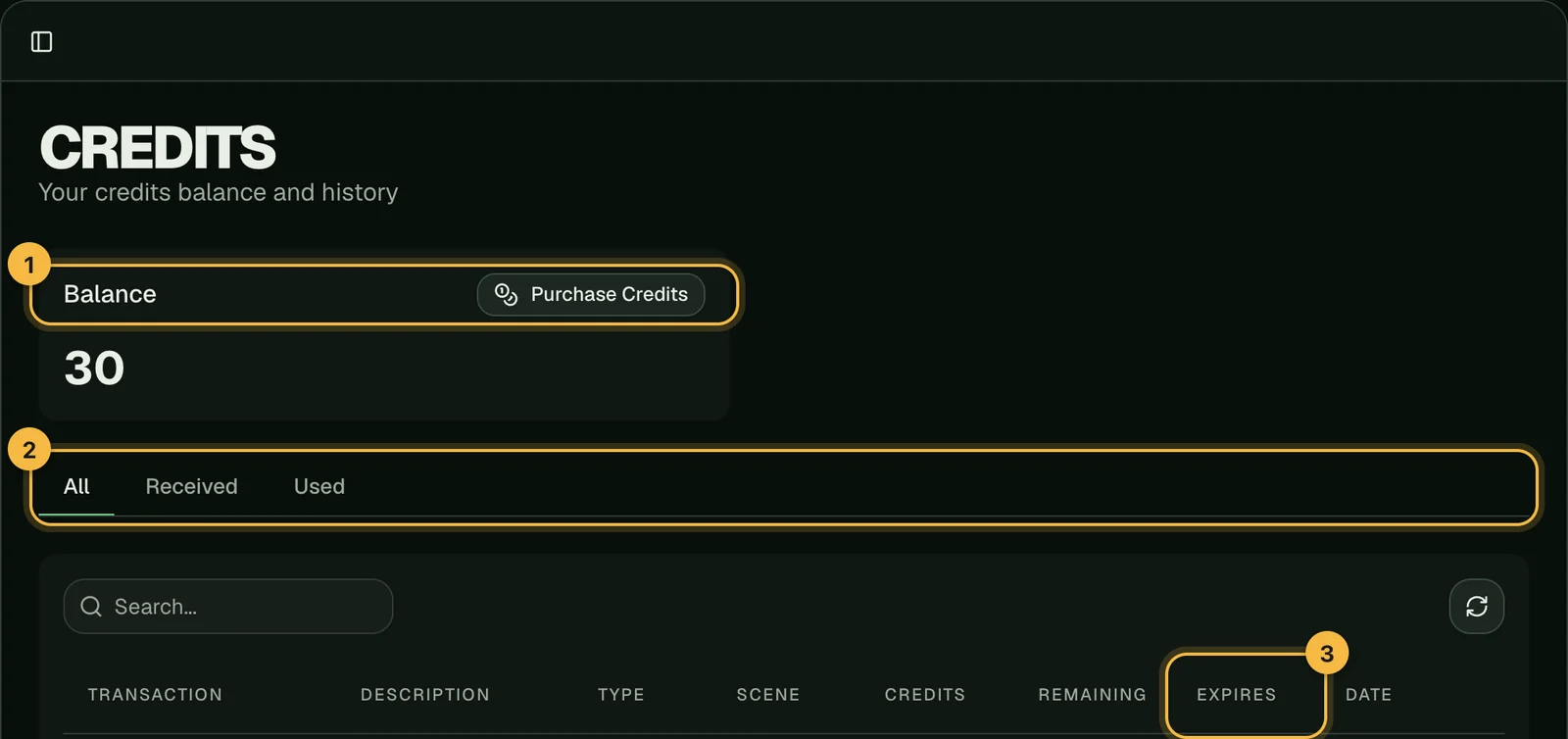
- On the credits page, you'll find your balance, every credit you've received or used, and when each batch expires.
When credits expire
Credits come in batches, and each batch has its own expiry date:
- Monthly plans: each month's credits last until the end of that billing month.
- Yearly plans: credits arrive every month, and each month's credits last until the end of that month.
- Credit packs: one year from purchase.
- Sign-up credits: 7 days.
You'll find every batch's date in the Expires column on the credits page. Credits that expire soonest are used first, so you don't lose them. See the pricing page for plans and credit packs.
When you don't have enough credits
If a generation would need more credits than you have, the studio shows "You're out of credits" with a link to get more. Nothing is charged. You can top up from the pricing page.
Credits are never charged for refused settings
If a colour or setting doesn't work with a style, or you've reached the limit of 4 icons at once, the request is stopped before it starts and no credits are used. If a generation starts but doesn't finish, the credits are returned automatically; see what happens when a generation fails.
Frequently asked questions
Do credits expire?
Yes. Each batch of credits has an expiry date, shown on the credits page. Credits closest to expiring are used first.
Is downloading an icon free?
Yes. The original PNG and the app icon pack can be downloaded as often as you like at no cost.
Where can I see what I spent credits on?
On the credits page. Use the Used tab to see only credits you've used.
Did not find an answer?
Open a ticket and tell us what happened. We will reply as soon as we can.