
App stores want a square, opaque icon without rounded corners: 1024 × 1024 pixels for the Apple App Store and 512 × 512 pixels for Google Play. Both platforms round the corners themselves, so adding your own corners, borders or shadows makes the icon look wrong. Below are the app icon requirements for each platform. Icons made in AI Icon Creator already follow them, and the app icon pack includes the exact files each store asks for.
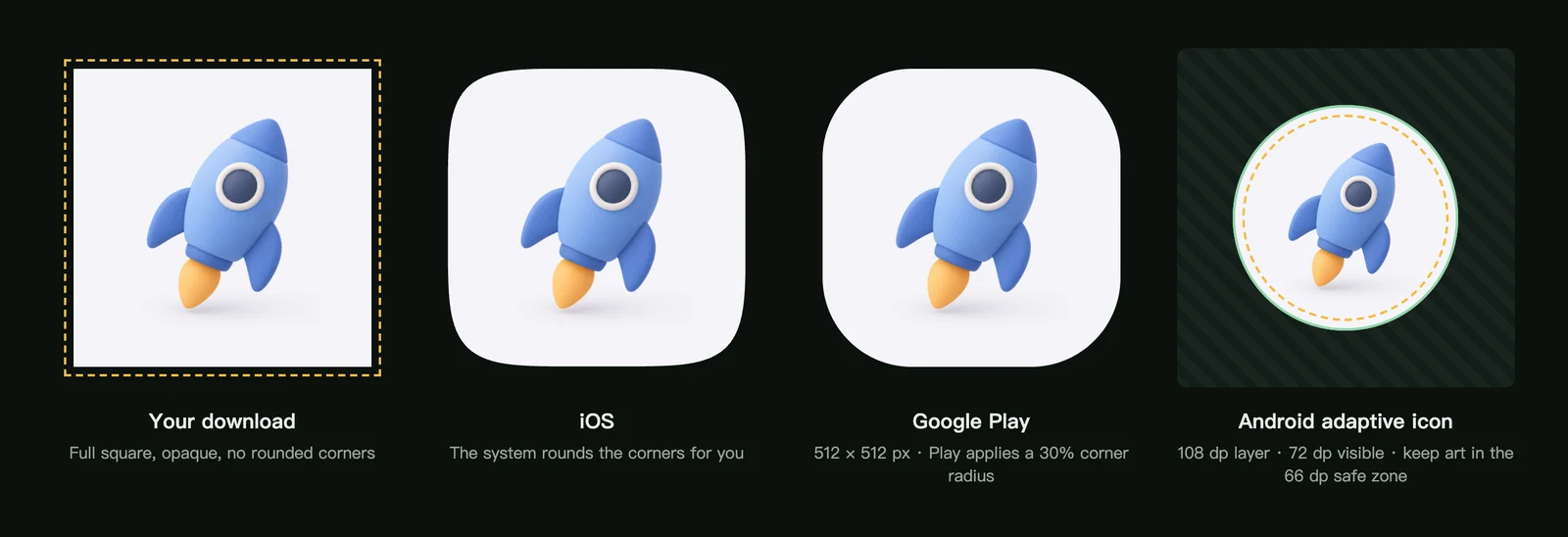
Apple App Store (iOS and iPadOS)
- Size: 1024 × 1024 pixels. Xcode can create every smaller size from this one image.
- Shape: provide a full square. The system applies the rounded mask, and pre-rounded or inset artwork looks wrong once it's masked.
- Background: fully opaque. Transparent areas aren't accepted.
- Colour space: sRGB or Display P3.
- Text: include words only when they're essential. Apple notes that small text is hard to read and can't be localised.
- Appearances: people can show home screen icons in default, dark, clear or tinted appearances, so the icon's core shape should stay recognisable in each.
Source: Apple's Human Interface Guidelines for app icons.
Google Play store listing
- Size: 512 × 512 pixels, 32-bit PNG, sRGB, up to 1024 KB.
- Shape: a full square. Google Play applies a corner radius equal to 30% of the icon's size, and adds its own shadow.
- Don't round the corners, add a drop shadow, or use text or badges that suggest rankings, deals or awards.
Source: Google's icon design specifications for Google Play.
Android adaptive icons (inside the app)
On Android 8 and later, the launcher icon is an adaptive icon made of a foreground and a background layer. Each device maker applies its own shape: a circle, a squircle or a rounded square.
- Layer size: 108 × 108 dp.
- Visible area: the inner 72 × 72 dp. The outer 18 dp on each side is used for masking and motion effects.
- Safe zone: keep the main artwork inside a 66 dp circle in the centre so no mask cuts it off.
- Themed icons (Android 13 and later): when the user turns on themed icons, the launcher tints a one-colour monochrome layer to match the wallpaper.
The app icon pack's android/res folder already contains an adaptive icon. The whole icon fills the 72 dp visible area, so round and squircle masks trim its corners; most subjects sit well inside the safe zone, but artwork that reaches the corners, such as a large line drawing, can lose a little at the edges. For flat styles the pack also includes the monochrome layer, sized inside the safe zone; for styles without a clean one-colour shape (3D, glass, metal, gradient backgrounds) it is left out, and Android shows the colour icon instead. Source: Android's adaptive icon guide.
Check your icon at real sizes
Open the icon from My icons and use Check at real sizes to see it at 64, 32 and 29 pixels, on a dark or light background, square or with a rounded preview.
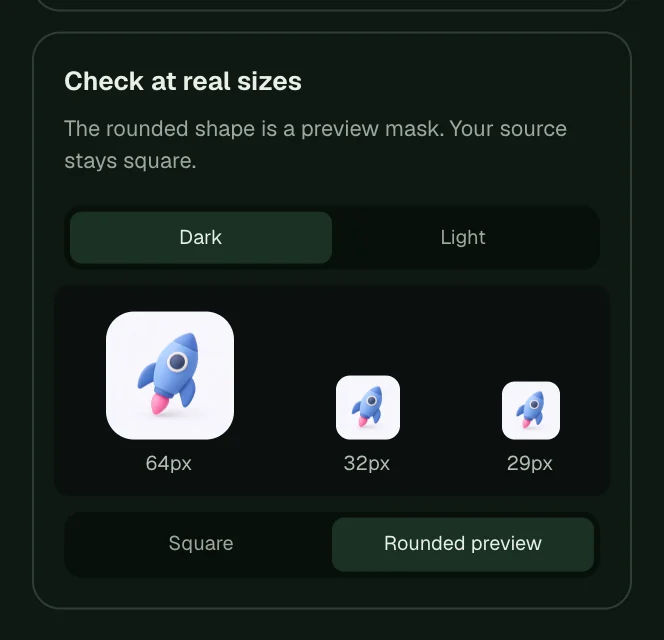
If details disappear at 29 pixels, simplify the icon with an edit such as "Fewer details". Our guide to keeping icons legible at small sizes has more ideas.
App icon requirements checklist
- The file is a square PNG: 1024 × 1024 for the App Store, 512 × 512 for Google Play.
- Corners are square, with no rounded corners, border or drop shadow.
- The background is fully opaque for the App Store.
- There's no text, or only a single essential letter.
- The subject is still recognisable at 29–40 pixels.
- The main artwork fits inside the Android safe zone.
Frequently asked questions
Do I need to add rounded corners to my app icon?
No. Both iOS and Google Play round the corners automatically. Upload the full square icon.
Can an iOS app icon have a transparent background?
No. The App Store icon must be fully opaque. Icons from AI Icon Creator are opaque by default, except Fused glass, whose PNG has transparent corners; use the icon pack's iOS file for that style.
What size should my app icon be?
Design and export at 1024 × 1024 pixels. The app icon pack creates every smaller size for iOS, Android and the web from it. See the full list in our app icon size guide.
Did not find an answer?
Open a ticket and tell us what happened. We will reply as soon as we can.