

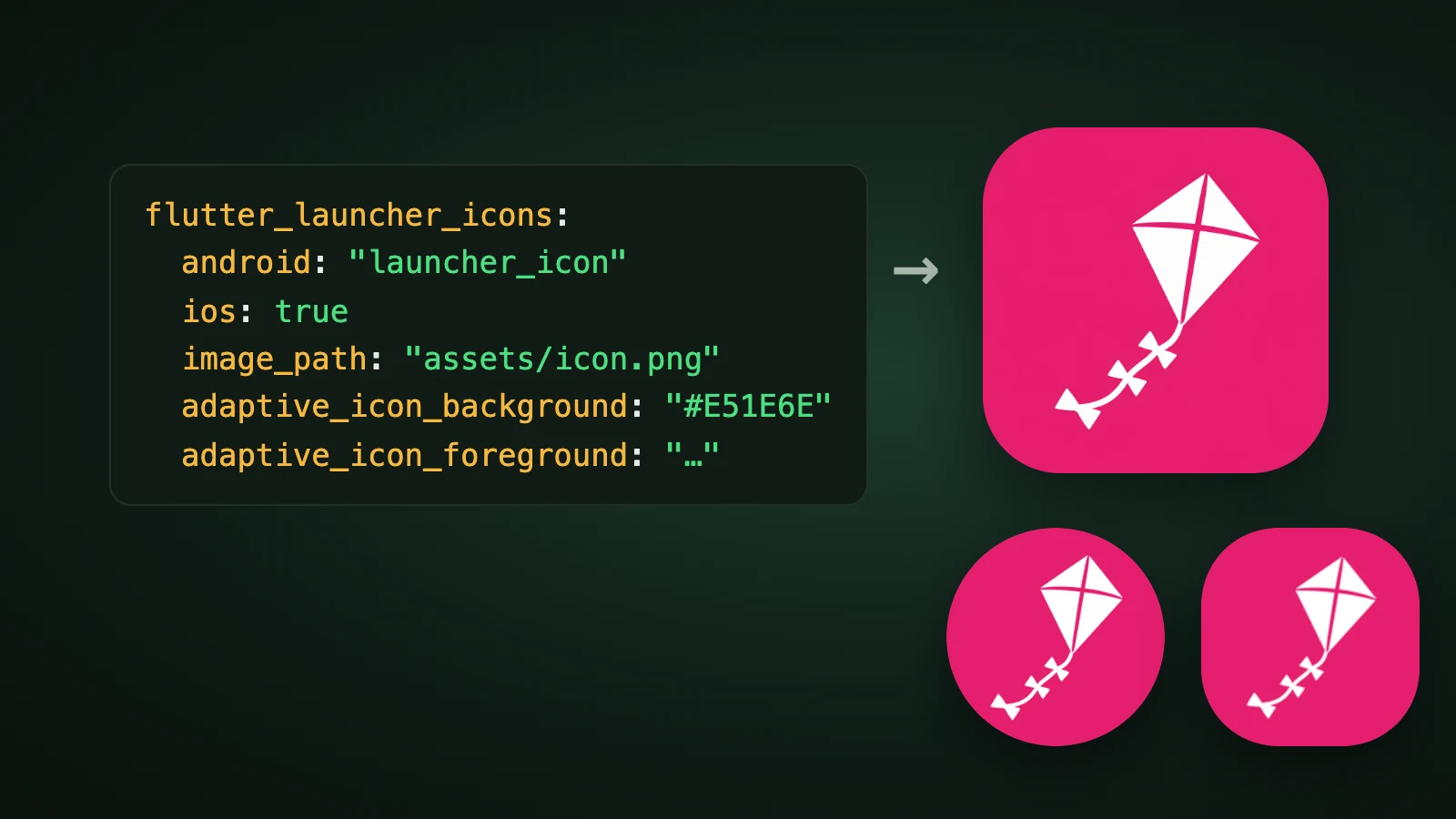
To change the app icon in a Flutter app, add the flutter_launcher_icons package, describe your icon in a flutter_launcher_icons block in pubspec.yaml, and run dart run flutter_launcher_icons. Flutter's own documentation points to this package for customising the launcher icon and lists a manual route as the alternative. The package generates the Android and iOS icons from one image, plus web, Windows and macOS icons if you ask for them. As of 30 September 2026, its latest version is 0.14.4, published on 10 June 2025.
We didn't run the tool for this guide, because Flutter isn't installed on the machine we used. The settings and file lists below come from the package's README and source code and from Flutter's documentation, and the one simulation we did is labelled as ours.
How do you change the app icon in Flutter?
To change the app icon in Flutter, make a 1024 × 1024 px PNG, configure flutter_launcher_icons in pubspec.yaml, and run the tool. The package's README describes it as a command-line tool that simplifies updating your Flutter app's launcher icon, for the platforms you choose.

-
Make the icon. A 1024 × 1024 px PNG. The README notes that iOS icons should fill the entire image and not contain transparent borders.
-
Add the package and the settings to
pubspec.yaml:dev_dependencies: flutter_launcher_icons: '^0.14.4' flutter_launcher_icons: android: 'launcher_icon' ios: true image_path: 'assets/icon/icon.png' min_sdk_android: 21 adaptive_icon_background: '#E51E6E' adaptive_icon_foreground: 'assets/icon/foreground.png'You can also keep the settings in a separate
flutter_launcher_icons.yaml, whichdart run flutter_launcher_icons:generatecreates for you. -
Get the package:
flutter pub get. -
Run the tool:
dart run flutter_launcher_icons. -
Run your app and look at the launcher.
Which settings does flutter_launcher_icons have?
The main settings are image_path for the icon and one block per platform. These are the ones that matter for most apps, from the package's README:
| Setting | What it does |
|---|---|
image_path | The icon image for every platform |
android | true overrides the default icon; false skips Android; a name such as "launcher_icon" creates a new icon without removing the default one |
ios | The same three choices for iOS |
min_sdk_android | The Android minimum SDK, default 21 |
adaptive_icon_background | A colour such as "#ffffff", or an image, for the adaptive icon background |
adaptive_icon_foreground | The image for the adaptive icon foreground |
adaptive_icon_foreground_inset | Padding in per cent added around the foreground; the default is 16 |
adaptive_icon_monochrome | The image for the Android 13 and later themed icon |
remove_alpha_ios and background_color_ios | Remove the alpha channel from iOS icons, and the colour used instead |
image_path_ios_dark_transparent | The iOS 18 and later dark icon, which Apple recommends to be transparent |
image_path_ios_tinted_grayscale | The iOS 18 and later tinted icon, in greyscale |
web, windows, macos | Optional blocks that generate icons for those platforms |
Adaptive icons are only generated when both adaptive_icon_background and adaptive_icon_foreground are set, and the image_path isn't used as the foreground automatically. Our guide to Android adaptive icons explains the layers, and our app icon sizes guide lists the sizes each platform needs.
What does the tool write for Android?
For Android, the tool writes launcher icons, adaptive layers and an adaptive icon XML file. From its source code for version 0.14.4:

- Launcher icons:
ic_launcher.pnginmipmap-mdpitomipmap-xxxhdpi, at 48, 72, 96, 144 and 192 px. - Adaptive layers:
ic_launcher_foreground.pngand, if you set one,ic_launcher_monochrome.pngindrawable-mdpitodrawable-xxxhdpi, at 108, 162, 216, 324 and 432 px, which is the 108 dp layer at each density. - Adaptive XML: a file in
mipmap-anydpi-v26that places the foreground and monochrome layers with an inset, 16% by default. The background colour is written tocolors.xml.
How much padding should the foreground have?
The foreground should have no padding of its own, because flutter_launcher_icons adds a 16% inset when it places it. Other tools do it differently. In AI Icon Creator's runs, @capacitor/assets wrote an inset of 16.7% into its adaptive icon XML, while expo prebuild wrote none, so Expo expects the padding to be drawn into your foreground. The right foreground for one tool is wrong for another.

We simulated the four combinations with a kite icon made in AI Icon Creator, using a 108 dp layer and a circle mask over the central 72 dp. A full-bleed foreground with a 16% inset, the Flutter way, leaves the kite 75% of the visible height. A foreground already padded to 61% and then inset by 16% is padded twice and shrinks to 46%. A padded foreground with no inset, the Expo way, gives 67%. A full-bleed foreground with no inset makes the kite 111% of the visible height, so the tail is cut off. If your Flutter icon looks small on Android, you've probably padded it yourself. Our Expo app icon guide and Ionic app icon guide show the other two tools.
Try a flat subject that works as a full-bleed foreground:
How do you set the icon by hand in Flutter?
You can also set the icons yourself, as Flutter's deployment guides for Android and iOS describe. It's useful for one-off changes or when you don't want another package.
- Android: review the Android adaptive icon guidelines, put your icon files in folders named with configuration qualifiers under
[project]/android/app/src/main/res/, and set theandroid:iconattribute of theapplicationtag inAndroidManifest.xmlto your icon, for example@mipmap/ic_launcher. Then run the app and check the launcher. - iOS: review Apple's app icon guidelines, including the advice on light, dark and tinted icons. In the Xcode project navigator, select
Assets.xcassetsin theRunnerfolder and replace the placeholder icons with your own (our Xcode app icon guide walks through the asset catalogue). Then runflutter runto verify.
If you want a layered Liquid Glass icon on iOS, our Icon Composer guide explains Apple's tool.
Common Flutter icon problems
- The colours look different. The README says this comes from a change in the
imagedependency, and that you should use#AARRGGBBinstead of#AABBGGRRfor colours. - A version conflict.
flutter_launcher_iconsmay conflict with other packages such asflutter_native_splashover theargsdependency. The README suggests a temporary dependency override. - A black border on iOS. The icon must fill the whole image with no transparent edges.
- No adaptive icon. You need both an adaptive background and an adaptive foreground.
- The icon is too small on Android. The foreground was probably padded twice, as in the simulation above.
How do you make the icon file?
To make the Flutter app icon file, generate one simple subject, choose a flat style so the foreground separates cleanly, and export it at 1024 px. Our step-by-step guide on how to make an app icon covers it. In AI Icon Creator you can compare a few styles of the same subject:
Frequently asked questions
How do I change the app icon in Flutter?
To change the app icon in Flutter, add flutter_launcher_icons to dev_dependencies, set image_path and the platform settings in a flutter_launcher_icons block in pubspec.yaml, then run flutter pub get and dart run flutter_launcher_icons. You can also replace the icon files by hand in the Android res folders and in Xcode.
What size should a Flutter app icon be?
A Flutter app icon source should be a 1024 × 1024 px PNG, which is the master size for iOS, and the tool generates the other sizes. For Android, the package writes launcher icons from 48 to 192 px and adaptive layers from 108 to 432 px. For iOS, the icon should fill the whole image with no transparent borders.
How do I make an adaptive icon in Flutter?
To make an adaptive icon in Flutter, set both adaptive_icon_background, a colour or an image, and adaptive_icon_foreground, a transparent PNG, in the flutter_launcher_icons block. The tool adds a 16% inset by default, so draw the foreground full-bleed. Add adaptive_icon_monochrome for Android 13 and later themed icons.
Can Flutter have dark and tinted iOS icons?
Flutter can have dark and tinted iOS icons through flutter_launcher_icons, which has the settings image_path_ios_dark_transparent and image_path_ios_tinted_grayscale for iOS 18 and later. Apple recommends the dark icon to be transparent, and the tinted icon should be greyscale. You can also add them by hand in Xcode's Assets.xcassets.
How do I make a Flutter app icon with AI?
To make a Flutter app icon with AI, describe one simple subject for your app, generate it in a few styles, choose the one that stays clearest at 32 px and export it at 1024 px. In AI Icon Creator you can compare styles side by side and use the square icon as image_path.
Ready to make the icon for your Flutter app?