
The best prompt for an AI app icon names one subject and, if needed, one detail that makes it recognisable: "a coffee cup with steam", "a fox head", "a folded paper plane". Leave the drawing style, colours and text out of the prompt; the style and its settings handle those.
One subject, not a scene
An app icon is seen at 30 to 180 pixels. A whole scene turns into noise at that size, while a single subject stays readable.
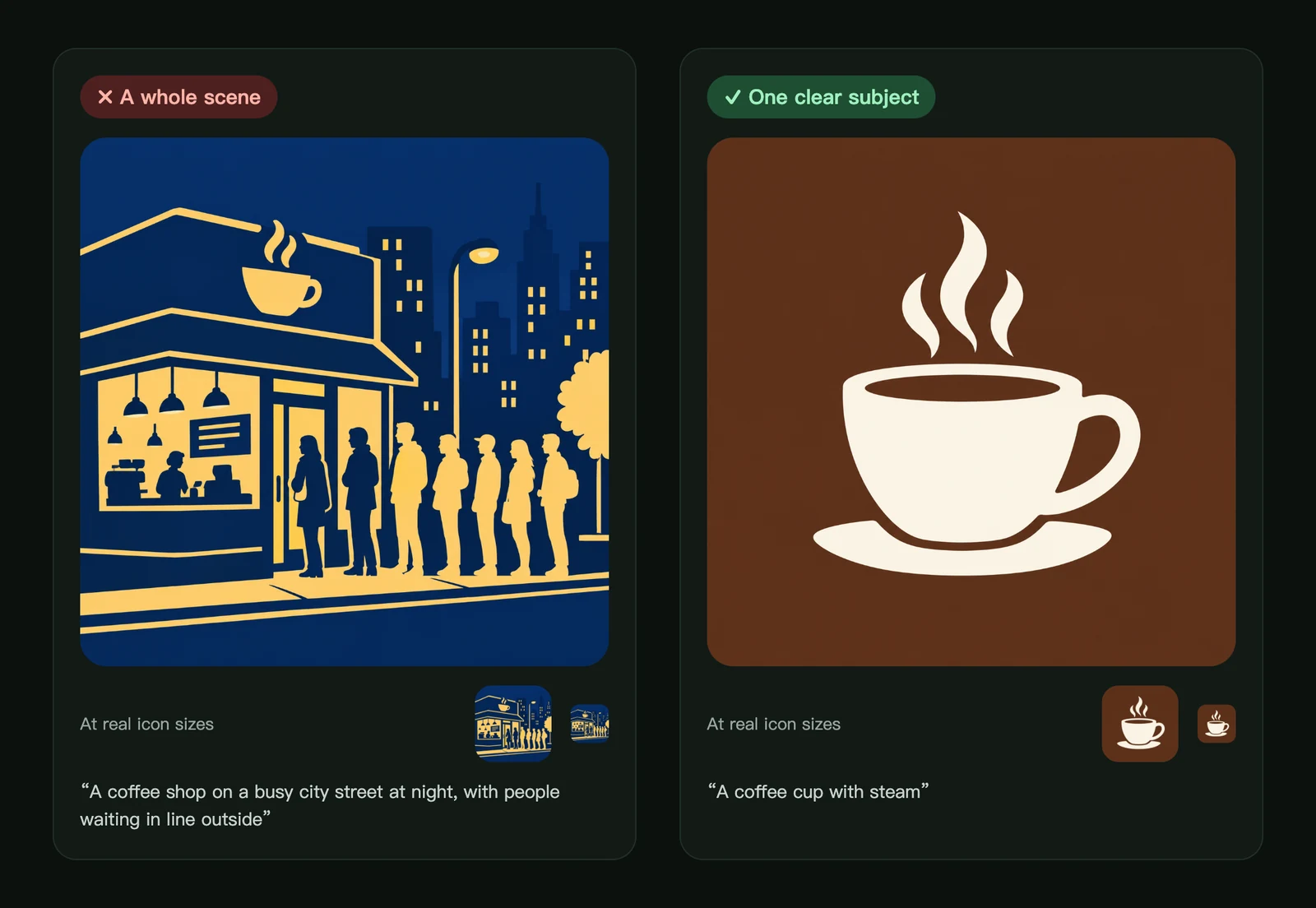
If your app is about a coffee shop, draw the thing people remember: the cup. For more ways to turn what your app does into one shape, see icon metaphors.
A simple prompt formula
Subject + one key detail + (optional) what it is for.
| Prompt | Why it works |
|---|---|
| A camera | One familiar object |
| A fox head with big ears | The detail makes the animal unmistakable |
| A paper plane taking off | The action adds energy without adding objects |
| A calm whale for a meditation app | The purpose sets the mood |
| The letter Z | A single letter works well for letter marks, especially in Glossy 3D |
Short prompts are fine. One sentence is usually better than a paragraph.
What to leave out
- Words and app names. Text inside icons is hard to read and often comes out misspelled. Keep your name for the app title; a single letter is the only text worth trying.
- Style words such as "flat", "3D", "glass" or "metallic". The style you pick already decides the look, and conflicting words can pull the result in two directions.
- Colours. If the style has colour options, set them in advanced settings. If it doesn't, the model picks colours that suit your subject.
- Frames, rounded corners and backgrounds. Every icon is made as a full square; app stores and phones add the rounded shape themselves. See app icon requirements.
Expressions in Geometric expression
Geometric expression reads the expression from your prompt. "A laughing circle" or "a sleepy cloud" gets that expression, drawn with two eyes and a mouth. If you choose an expression in advanced settings, your choice wins over the prompt.
When the result isn't what you pictured
- Add the detail that makes it recognisable. "A dog" can be any dog; "a corgi with short legs" is specific.
- Remove extras. Every additional object competes for space.
- Try another style. Some subjects simply suit one look better.
- Fix a detail instead of starting over. Edit one area of the icon, such as a colour or a small part.
Frequently asked questions
Can I put my app name inside the icon?
We don't recommend it. Apple's guidelines also advise including text only when it's essential, because small text is hard to read and can't be translated. Use a single letter or a symbol instead.
How long should an AI icon prompt be?
One short sentence, usually 3 to 12 words. Longer prompts tend to add objects that crowd the icon.
Can I write the prompt in another language?
Yes. Prompts in English and Chinese both work. Write the subject the way you would describe it to a designer.
Did not find an answer?
Open a ticket and tell us what happened. We will reply as soon as we can.